

vRealize Infrastructure Navigator: A Complete and Easy Guide for Beginners
Introduction
In today’s IT environments, systems are no longer simple. A single application may depend on many virtual machines, databases, network services, and storage systems. If one part fails, it can impact the entire business. This complexity makes it very difficult for IT teams to understand what is connected to what.

vRealize Infrastructure Navigator was created to solve this exact problem. It helps administrators clearly see relationships between applications, services, and virtual machines in a VMware environment. Instead of guessing, teams can make informed decisions based on real dependency data.
This guide explains vRealize Infrastructure Navigator in clear and simple words, so even beginners can understand how it works, why it matters, and where it fits in modern infrastructure management.
What is vRealize Infrastructure Navigator?
vRealize Infrastructure Navigator is a VMware product that automatically discovers and displays application and infrastructure dependencies inside a virtual environment. It works alongside VMware vCenter Server, which is the central management tool for VMware infrastructure.
In simple terms, it shows how applications, services, and virtual machines are connected to each other. It does this without installing agents inside the virtual machines, which makes it easier to deploy and manage.
This visibility is extremely useful when performing upgrades, troubleshooting issues, or planning migrations.
Why Dependency Visibility Is So Important
Without dependency visibility, IT teams often work blindly. A simple task like rebooting a server can unexpectedly take down multiple applications. Many outages happen not because of hardware failure, but because dependencies were not understood.
vRealize Infrastructure Navigator reduces these risks by showing:
- Which applications depend on which virtual machines
- How services communicate with each other
- What will be impacted if a change is made
This knowledge allows safer planning and fewer surprises.
How vRealize Infrastructure Navigator Works


vRealize Infrastructure Navigator works using an agentless discovery method. This means it does not install software inside the operating systems of virtual machines. Instead, it observes traffic and system behavior from outside.
After connecting to vCenter Server, the tool analyzes network communication patterns and system metadata. It identifies applications such as web servers, databases, and middleware, then maps how they communicate with each other. These relationships are displayed visually inside the VMware interface.
As infrastructure changes, the maps update automatically, ensuring data stays current.
Core Features Explained in Simple Words
One of the strongest features of vRealize Infrastructure Navigator is automatic dependency discovery. Administrators do not need to manually define relationships. The tool finds them on its own.
Another important feature is visual mapping. Instead of reading long reports, users see diagrams that clearly show dependencies. This makes it easier for both technical and non-technical stakeholders to understand the environment.
The tool also provides application awareness, meaning it can recognize what software is running inside virtual machines. This allows deeper insight beyond just VM-level data.
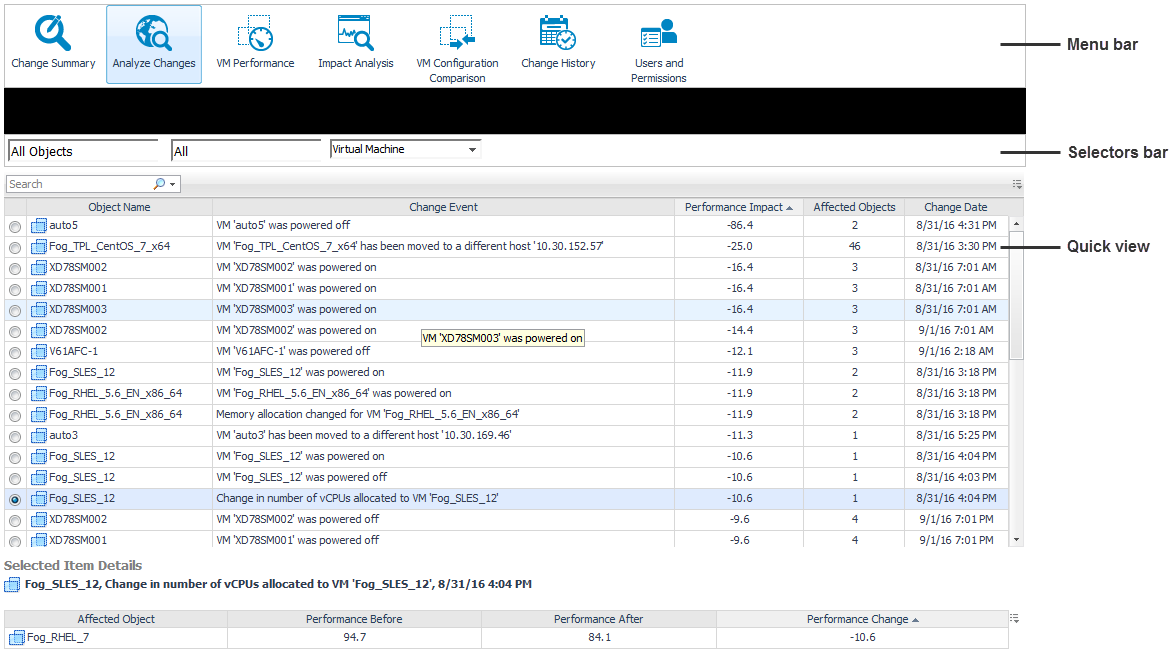
Finally, change impact analysis helps teams understand the consequences of actions before making changes, greatly reducing risk.
Benefits of Using vRealize Infrastructure Navigator
The biggest benefit of vRealize Infrastructure Navigator is clarity. IT teams gain a clear picture of their environment, which leads to better decisions.
It significantly reduces downtime by preventing accidental service disruptions. Troubleshooting becomes faster because administrators can quickly trace issues through dependency chains.
Planning upgrades, migrations, and maintenance becomes safer and more predictable. Overall, it increases operational efficiency and confidence.
Real-World Use Cases


One common use case is application migration. Before moving workloads to new hardware or a cloud platform, administrators need to understand all dependencies. Navigator ensures nothing important is left behind.
Another major use case is troubleshooting. When an application is slow or unavailable, dependency maps help identify where the problem started and which components are affected.
It is also widely used during maintenance windows. Teams can check dependencies before rebooting or patching systems, reducing unexpected outages.
Installation and Deployment Overview
vRealize Infrastructure Navigator is deployed as a virtual appliance within a VMware environment. After deployment, it is connected to vCenter Server using appropriate credentials.
Once connected, the tool begins discovering applications and dependencies automatically. No agents, scripts, or manual configuration are required in most cases. This makes deployment straightforward, even in large environments.
System Requirements and Compatibility
Below is the only section presented in table format, as requested:
| Category | Details |
|---|---|
| Supported Platform | VMware vSphere environments |
| Integration Required | VMware vCenter Server |
| Deployment Type | Virtual Appliance |
| Discovery Method | Agentless |
| Scope | Virtual infrastructure only |
| Physical Servers | Not supported |
| Cloud Environments | Limited support |
How It Compares to Native vSphere Tools
Native vSphere tools provide excellent visibility at the virtual machine and host level, but they lack application-level awareness. They do not clearly show how applications depend on each other.
vRealize Infrastructure Navigator fills this gap by adding application intelligence and dependency mapping. This makes it much more useful for operational planning and risk management.
Limitations You Should Know About
While powerful, vRealize Infrastructure Navigator has limitations. It works only within VMware environments and does not provide visibility into physical or non-VMware systems.
Another important limitation is that it is now considered a legacy product. VMware has moved toward newer platforms for infrastructure intelligence.
Because of this, organizations may prefer modern alternatives for new deployments, while still using Navigator in existing environments.
Product Lifecycle and Current Relevance
VMware has shifted its focus toward advanced solutions under the Aria platform. As a result, vRealize Infrastructure Navigator is no longer actively developed.
However, many organizations still run it in legacy environments. Understanding how it works remains valuable, especially for professionals managing older VMware infrastructures or learning dependency mapping concepts.
Best Practices for Effective Use
To get the most value, always keep the tool running continuously so dependency data stays updated. Use it before any major infrastructure changes, such as upgrades or migrations.
Combine its insights with documentation and configuration management databases for a complete operational picture. Access should be restricted to authorized users to maintain security.
Security Considerations
vRealize Infrastructure Navigator is designed with security in mind. It generally operates using read-only access and does not change system configurations.
Still, proper role-based access control and network segmentation should be implemented. Security teams should review permissions regularly to ensure compliance.
Common Issues and How to Handle Them
Sometimes, dependencies may not appear correctly. This usually happens due to network visibility issues or misconfigured permissions. Ensuring proper connectivity to vCenter Server solves most problems.
Performance issues can occur if the appliance is under-resourced. Allocating sufficient CPU and memory usually fixes this.
FAQs
What is vRealize Infrastructure Navigator used for?
vRealize Infrastructure Navigator is used to automatically discover and visualize application and virtual machine dependencies in a VMware environment. It helps IT teams understand infrastructure relationships and avoid risks during changes or maintenance.
Does vRealize Infrastructure Navigator require agents inside virtual machines?
No, vRealize Infrastructure Navigator works using an agentless discovery method. It analyzes network traffic and system behavior externally, which makes deployment easier and avoids performance impact on virtual machines.
How does vRealize Infrastructure Navigator help with troubleshooting?
It helps by showing dependency relationships between applications, services, and virtual machines. When an issue occurs, administrators can quickly trace affected components and identify the root cause instead of troubleshooting blindly.
Is vRealize Infrastructure Navigator still supported by VMware?
vRealize Infrastructure Navigator is considered a legacy product. VMware has shifted focus to newer platforms, but many organizations still use it in existing environments where dependency visibility is required.
Can vRealize Infrastructure Navigator be used for application migration planning?
Yes, it is very useful for migration planning. It identifies all dependent components of an application, ensuring nothing critical is missed during migrations to new infrastructure or cloud environments.
What type of environments does vRealize Infrastructure Navigator support?
It supports VMware-based virtual environments managed through vCenter Server. It does not provide visibility into physical servers or non-VMware platforms, which limits its use in hybrid or multi-vendor infrastructures.
How accurate is dependency mapping in vRealize Infrastructure Navigator?
The accuracy depends on network visibility and proper configuration. When correctly deployed, it provides reliable dependency data, but encrypted traffic or limited network access may reduce discovery accuracy in some environments.
Does vRealize Infrastructure Navigator impact system performance?
Generally, it has minimal performance impact because it operates as a separate virtual appliance and uses agentless discovery. However, sufficient CPU and memory resources should be allocated for smooth operation.
Can non-technical users understand vRealize Infrastructure Navigator reports?
Yes, one of its strengths is visual dependency mapping. The graphical views make it easier for non-technical stakeholders to understand application relationships and infrastructure impact without deep technical knowledge.
What are the main alternatives to vRealize Infrastructure Navigator?
Modern VMware environments often use newer infrastructure intelligence and monitoring tools. These alternatives provide broader support for hybrid and cloud environments while offering advanced analytics and automation features.
Final Thoughts
vRealize Infrastructure Navigator was an important step forward in helping IT teams understand complex virtual environments. Its ability to automatically discover dependencies, visualize relationships, and reduce operational risk made it highly valuable.
Even though newer tools exist today, vRealize Infrastructure Navigator remains relevant for legacy VMware environments and as a learning tool for infrastructure visibility concepts.
For anyone managing VMware-based systems, understanding this tool provides strong foundational knowledge.